Park’N’Pay app: Deferred parking and Manual payment
Problem Overview
Right now, Park’nPay’s Pay Later feature requires a payment to go through immediately before a parking session can end. If the payment is slow, fails, or a payment vendor is down (like Duncan, Braintree, or future providers), users can’t end their session and often get charged the maximum fee. This leads to unhappy customers, more support tickets, and potential damage to Park’nPay’s reputation.
As more payment vendors are added—each with their own reliability issues—we can’t depend on real‑time payments to close a session. We need a model where ending a session always works, and the payment is handled separately in the background.
Current Challenge
- A Pay Later session can’t end unless payment succeeds immediately.
- If payment fails or is slow (vendor outage, card issues, etc.), the session keeps running until the maximum fee is applied.
- Some vendors automatically charge the maximum fee, which goes against the intended Park’nPay experience.
- Users have little visibility into what’s happening with their payment.
- Support and operations teams lack clear tools for tracking delayed or failed payments, leading to manual work and ticket pile‑ups.
Future State: Deferred Payment Model
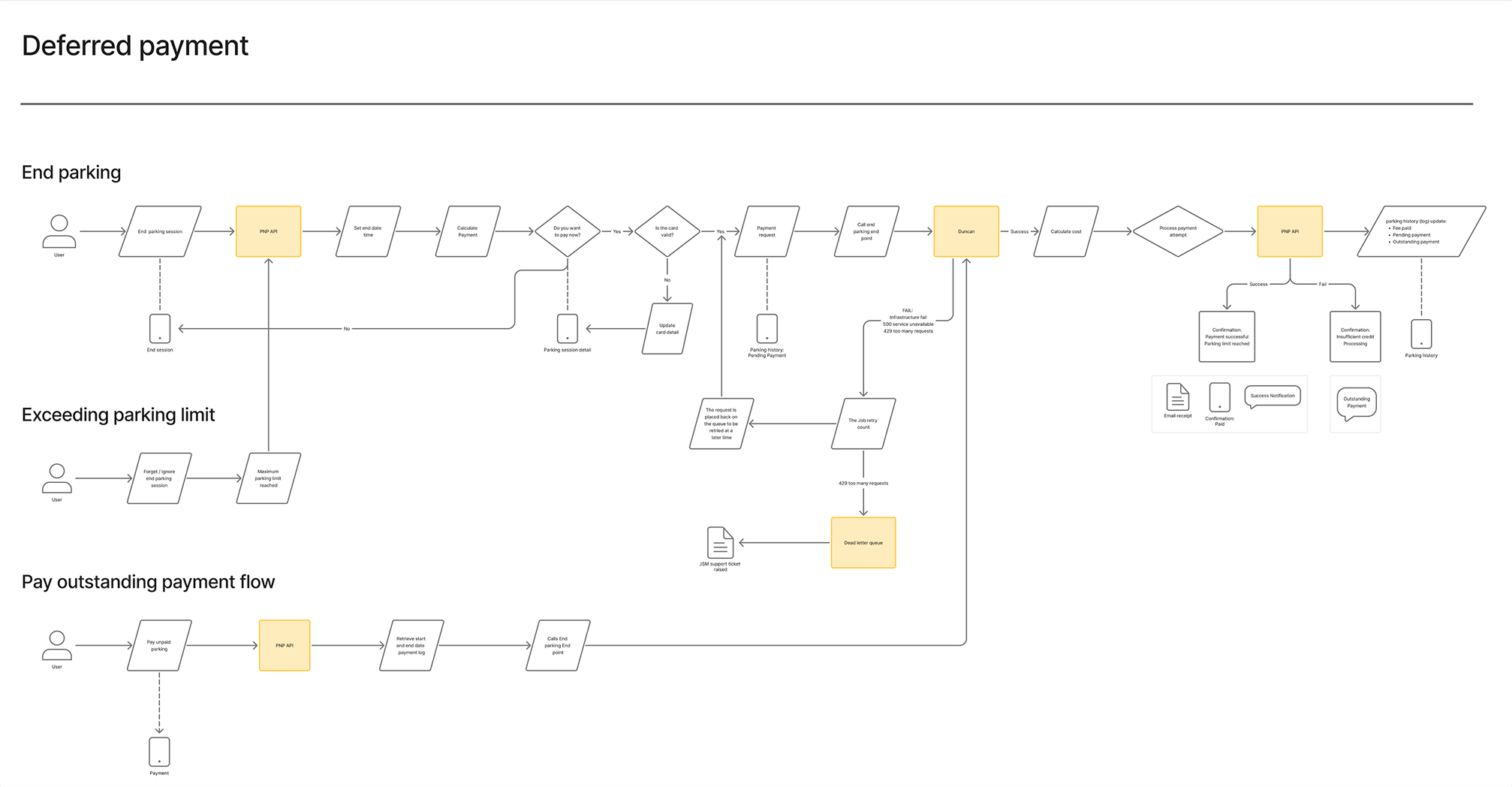
We introduce a new default model where session end and payment are fully separated. Users can always end their session, and the payment is processed in the background.
1. Immediate Session End
- Users can end a Pay Later session at any moment.
- Ending a session no longer depends on real‑time payment approval.
- When a session ends, Park’nPay marks it as complete and moves the payment into a deferred (later) processing queue.
2. Deferred Payment Workflow
- All Pay Later payments are processed asynchronously using queues and background jobs.
- Payments that fail or are delayed are automatically retried based on configurable rules.
- Maximum-fee auto-charging by vendors is disabled or contractually restricted so Park’nPay stays in control of the final charge amount.
- All payment outcomes (success, failure, timeout) are logged clearly for support and auditing.
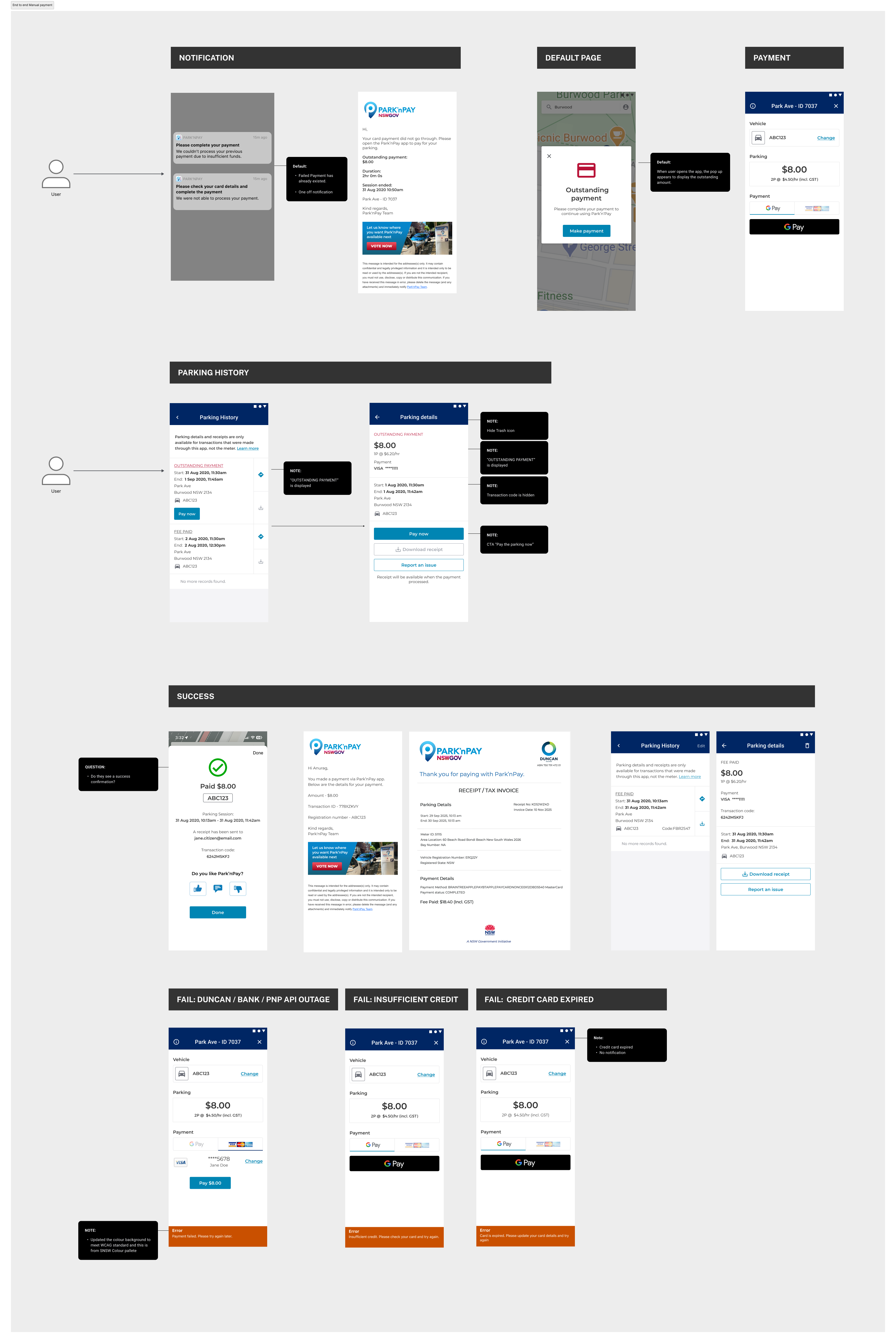
3. Better User Communication
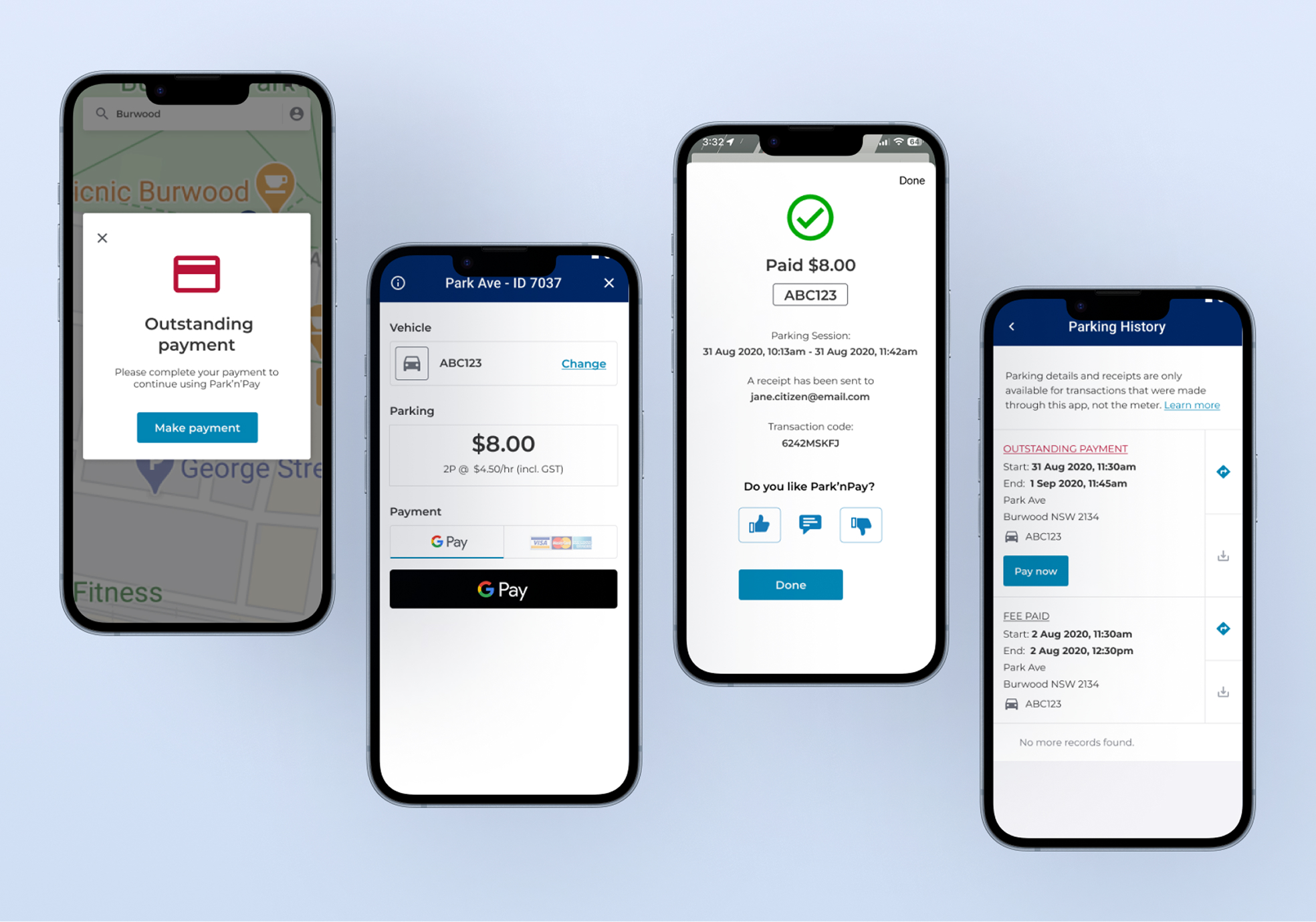
- The app shows clear payment statuses such as Pending, Paid, Action Needed, or Retry Failed.
- Users get push notifications or in-app alerts when:
- A deferred payment goes through.
- A payment fails and they need to fix something (e.g., update card).
- The app provides clear instructions for resolving issues like expired cards.
Solution